
Why we built ProductionOS: event production software from the show floor
I’m Nout van Bruggen, technical producer and founder of The Bridge AV Group in Rotterdam.
We produce events in the Netherlands and abroad, from congresses like NATO Edge and
DIA Europe to MagicCon at the RAI Amsterdam.
ProductionOS grew out of that work.
It is the event production software we wanted on our own shows, so we built it.
Six headliners on one rig
For the Lux Expo we spent four weeks on site for PRG, from the first floor markings to the final load-out. Six headliners arrived with six lighting designs and six sets of show files, and all of them had to run on one festival rig. Nine trailers had to reach the grounds in the right order.
Every morning we briefed around thirty technicians, and most days there was a changeover to prepare.
The rig was well prepared.
Every day the same question came back: does everyone know what comes next, and who do you ask when something doesn’t match the drawing?
The same question on every production
We run into it on every show.
The budget lives in Excel, the planning in a second file and the rundown in a third.
Quote requests are spread across dozens of emails, and by show day the crew list is already out of date. One change means updating five places, while everyone works from a slightly different version.
The tools we used were never made for event production.
They have no idea what a show day or a cue is.
One system for the whole production
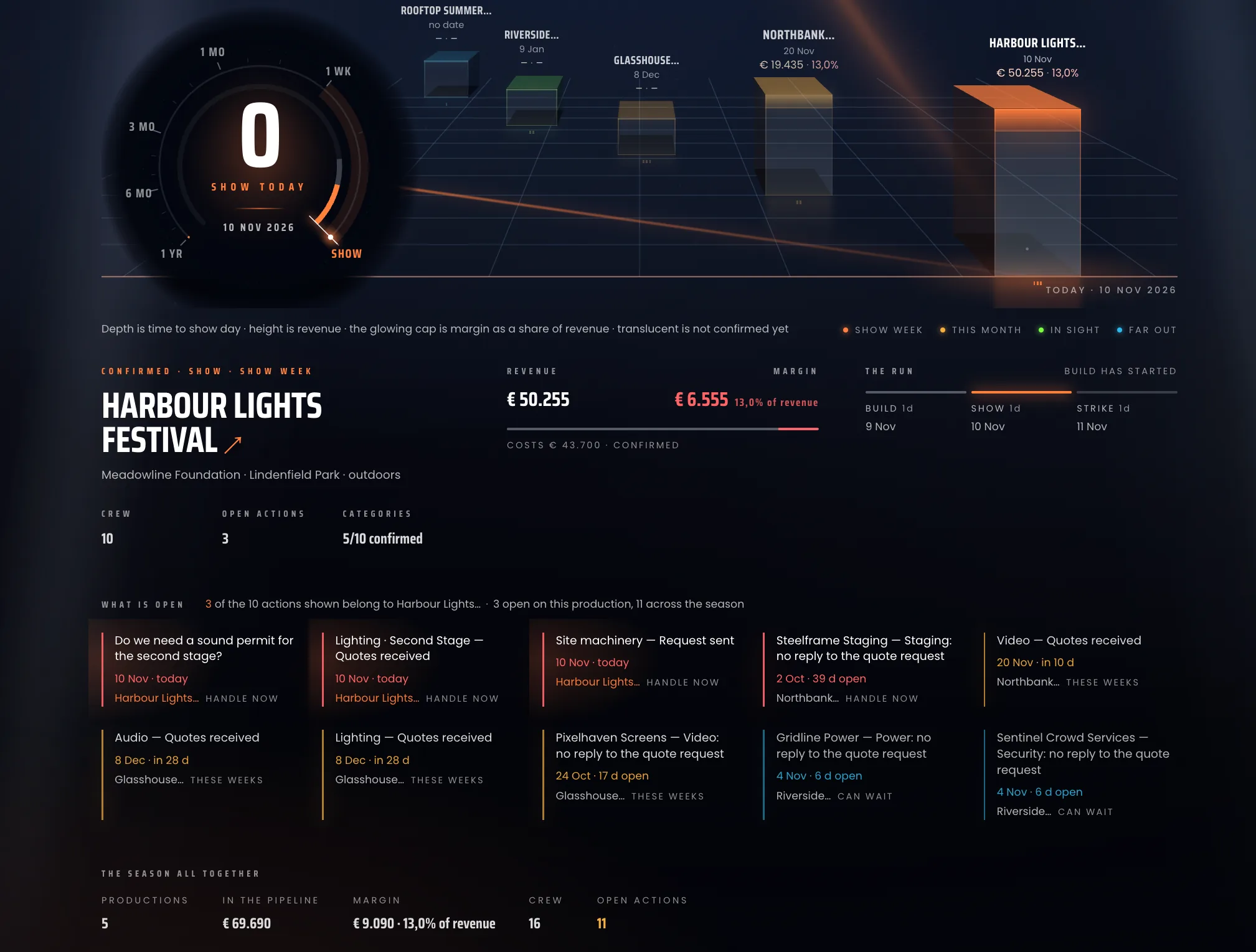
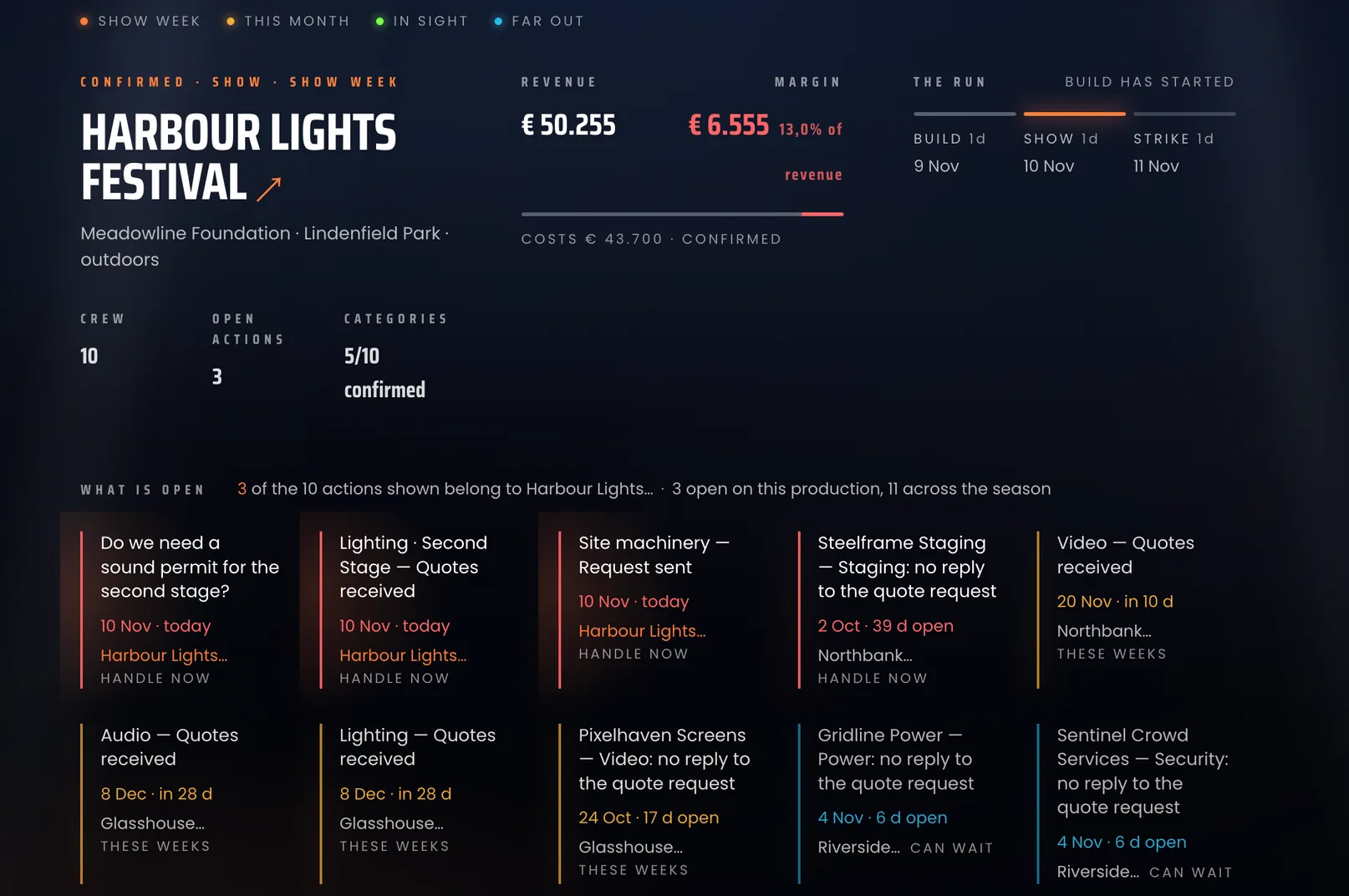
ProductionOS holds a production in one place, from the first budget to the last show day.
You build the budget per category and see your margin while you buy in.
You send quote requests to several suppliers at once,
and their replies land on the right budget line.
The planning follows the way a production runs: per area, per day and per stage.
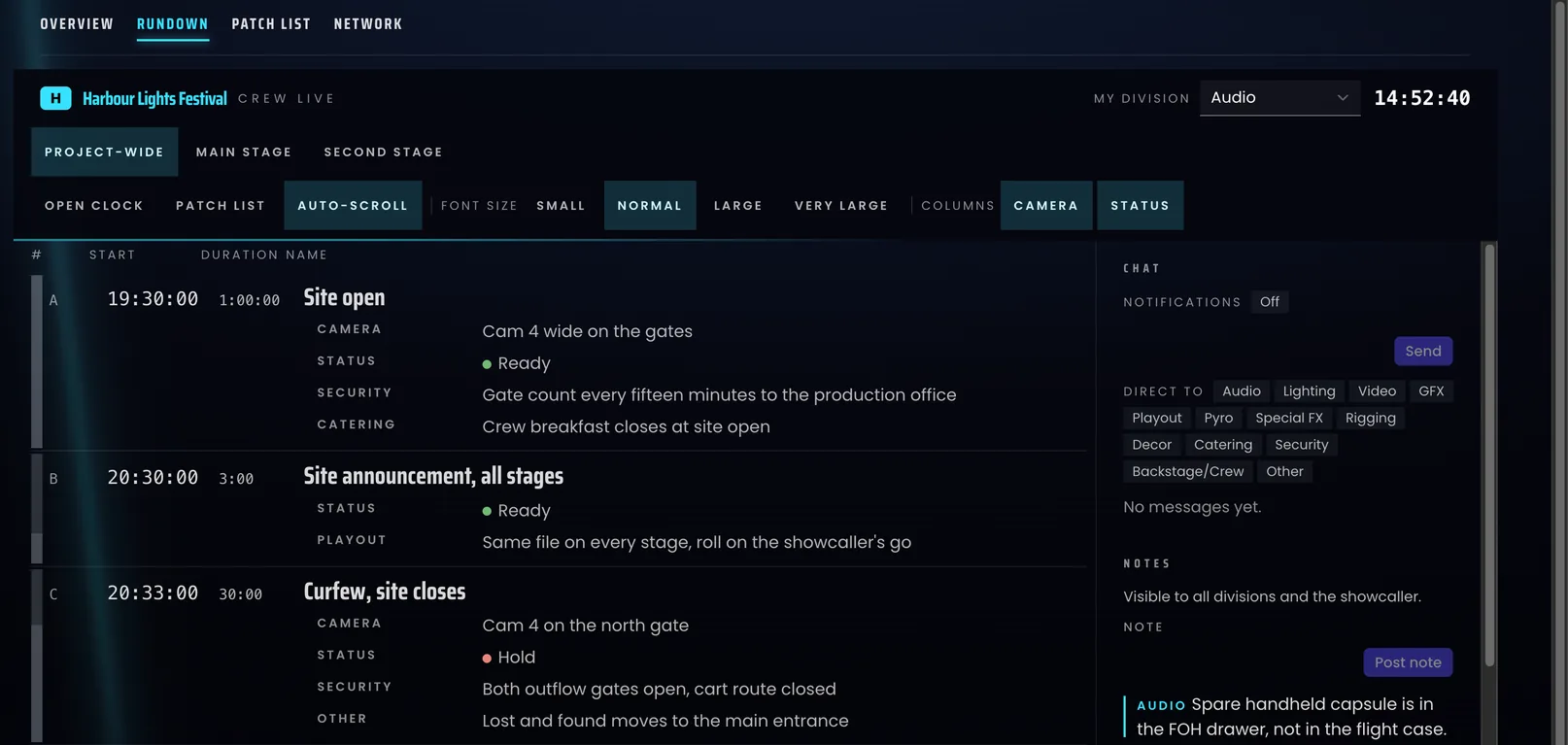
On show day everyone works from the same live rundown, with cues per department.
A budget that follows your quotes
The budget is where most of the work comes together.
A supplier’s PDF quote is read into lines and split across the right categories.
Every quote is compared with what you spent in that category before,
and you get a warning when a category is far off your usual average.
Suppliers can add lines through their portal, and those stay proposals until you accept them.
The client’s total is calculated from the same figures as your own, so the two always match.
The spreadsheets you can close
Every list lives in the same production as the budget.
Change a supplier in one place and the rider, the callsheet and the invoice change with it.
That covers the lists that usually sit in separate files:
- Equipment and warehouse lists, with a QR label per item and scan-based check-out and check-in
- Crew planning per day and stage, with hours sheets and callsheets
- Accreditation with printable passes and QR scans at the gate
- Hotel and flight bookings for crew and artists
- Catering per day and area
- Power per stage and area, and radios and comms per person
- Sign plan, artist riders and speaker cards
- A CO₂ sheet and a risk assessment
Every list exports as a PDF with your own logo,
and together they make one production book.
A live rundown for the showcaller and the crew
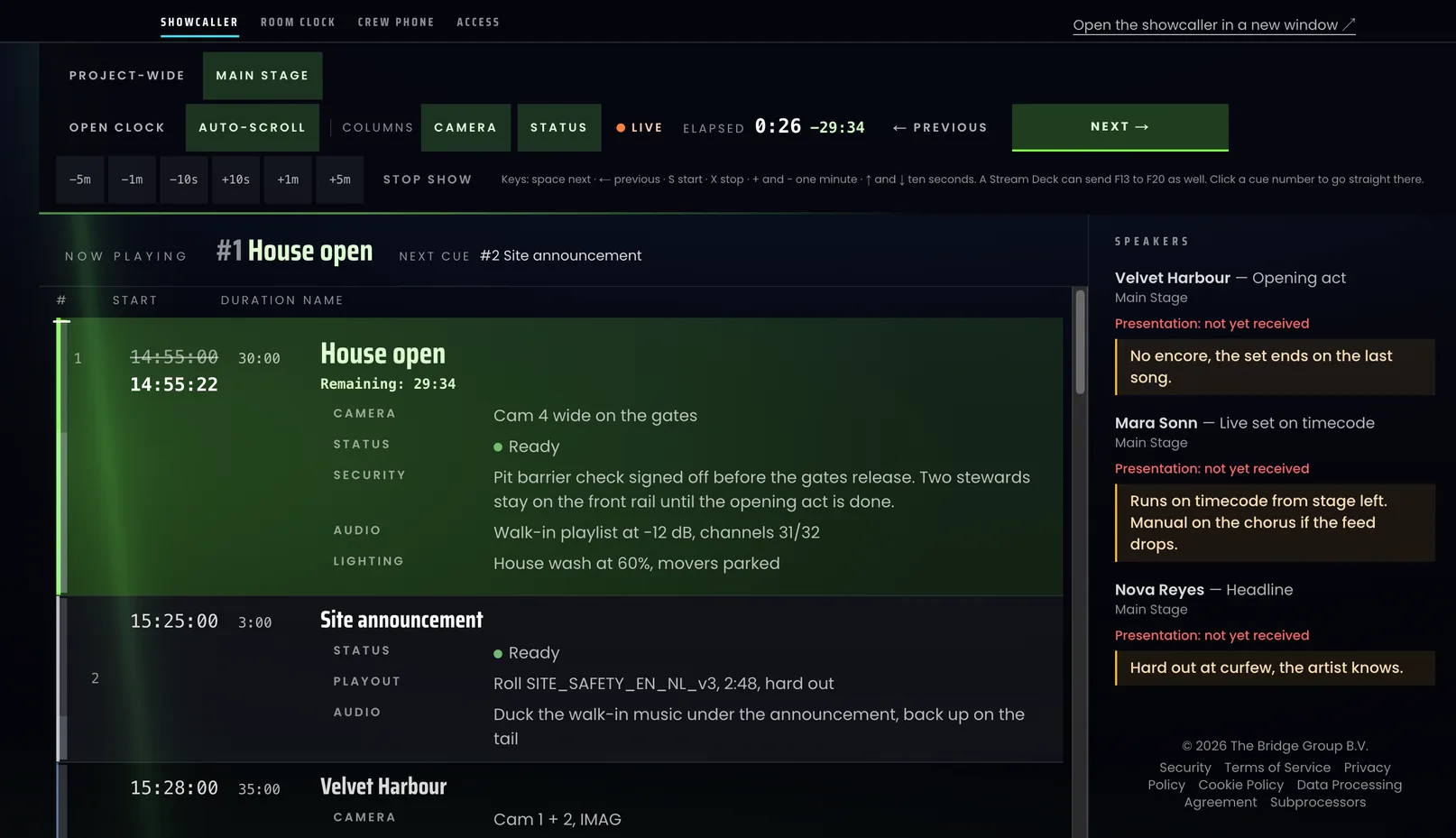
The showcaller runs the show from one screen, with start, next and previous, and adjusts the timing in steps of ten seconds or a minute. A Stream Deck works too.
Every connected device follows within seconds.
Lighting, audio, video and stage crew each see the instructions for their own department on every cue, and notes are visible to every division and the showcaller.
Do you only need the rundown?
You can use it on its own as the ProductionOS rundown for €20 per month or €200 per year, excl. VAT.
Try the rundown demo, no account needed.
Everyone stays up to date without the email chain
Client, crew, suppliers, freelancers and the showcaller each get their own portal with the information that applies to them.
The portals are free on every plan.
When something still needs to be on paper, you export riders, callsheets, schedules, invoices and badges as a PDF. That way you stop sending new versions around all day.
Up and running in an evening
On day one, a single click builds a sample festival with two stages, a budget, a rundown, crew and catering,
so you can see how everything connects before you start.
You bring your own material lists in from CSV, Excel or a drawing export,
and supplier quotes come in as PDF.
Moving a real production over takes about an evening.
Your data is stored in one database in the EU,
and a data processing agreement is ready for clients who ask for one.
We use it ourselves
Every feature is in there because we missed it on a production.
We use ProductionOS every day for our own work at The Bridge AV Group,
on shows that simply have to run.
Try ProductionOS free for 30 days
ProductionOS works in English and Dutch,
and every user can switch language at any time.
You try it free for 30 days with up to three projects,
and you don’t need a credit card.
After that there is one plan: €69 per month for the first user
and €34.50 for every user after that, excl. VAT.
Projects are unlimited.
For teams of 16 users or more, we put together a proposal.
Start your free trial at production-os.app.
Would you like to see first whether it fits your productions?
Email us at nout@thebridgeavgroup.com and we’ll set up a call to walk you through it.